Handed a brief, owned everything after it
This was a design assessment: Zalex Inc. supplied the functional requirements and a set of rough sketches. From that point on, everything is mine:
- Process mapping — sorting the brief’s failure points into a taxonomy before drawing a single screen.
- Information architecture & flows — role-based navigation for employees and HR admins, and the request-to-certificate flow that replaces the five-day manual process.
- Interface design — every screen, including the error and edge cases the brief didn’t spell out.
- Prototyping & handoff — a Figma prototype, a coded React one, and the documentation that took this from design to build-ready.
Transforming a manual process
Everything behind that wait was manual. An employee emailed in a PDF form, HR tracked it in a SharePoint list, and the certificate turned up within five business days if nothing went wrong. HR coordinators spent hours a week retyping data that was already sitting in the company's FAB HR platform. Then they answered the follow-up emails from people who had no way of checking where their request had got to.
I designed a self-service portal in Figma that reads employee data straight out of Zalex's FAB HR platform and fills in every field the company already knows. That takes the typing out, and the typing was where the errors came from. The information architecture follows the user stories in the requirements document. An employee picks a certificate type, checks the data on screen and submits. The system generates the draft, HR approves it in one click, and the digital signature and its validity period go on automatically. The certificate is there to download the same day.
The change I care about most is the status. The old process had none. You sent your form off and then you waited, with nothing to look at and nobody obvious to ask.
The brief set out the current process and where it broke down, for HR coordinators and for factory-floor employees. I worked from that document rather than from research of my own, and sorted the failure points into a taxonomy before drawing a screen. Worth saying plainly: I never spoke to a user on this one.
A five-day process built on retyped data and silence
The brief described a process with two failure points, not one. HR coordinators spent hours a week retyping information the company’s own HR platform already held, which is where the delays and errors came from. And once an employee submitted a request, there was nothing to look at — no status, no way to check progress, just a wait and, often, a follow-up email to HR asking where things stood. The problem wasn’t the five-day turnaround by itself; it was that nobody, on either side, could see what was happening during it.
Designed for two users
- Get an employment certificate for his mortgage application in one day
- Know where his request is at all times without chasing HR
- Download a professional document that banks will accept
- Currently waits 5 business days for a manually created PDF
- Has to email HR and wait with no status update
- Previous PDF contained his old job title — incorrect document
- Process requests quickly without stopping other work
- Issue standardised, tamper-proof documents
- Reduce the email inbox dedicated to document requests
- Manually creating each PDF from scratch for every request
- Re-entering employee data already in the HR system
- No audit trail — no way to prove what was sent when
Mapping the current state
| Finding / Insight | Design Response |
|---|---|
| 5-day wait creates personal financial risk for employees (mortgage deadlines, visa applications) | Priority: reduce to same-day for standard requests through automation |
| Manual data re-entry is the primary source of document errors | Pre-fill all fields from Zalex's FAB HR platform — employee name, ID, position, salary populated automatically |
| No status visibility creates anxiety and generates follow-up emails to HR | Explicit three-state status (New / In Progress / Closed) with timestamp visible to employee at all times |
| No audit trail — HR cannot prove when documents were issued or what they contained | Every document stored with metadata: requester, approver, timestamp, validity period, digital signature hash |
| Institutional recipients (banks, visa offices) require signed, dated, validity-stated documents | Digital signature + explicit validity period (e.g. 'Valid 90 days from issue') on every output document |
From mapping to handoff
- Requirements review & journey mapping
- Current-state process mapping from the brief
- Pain point taxonomy
- Information architecture
- Three-state status model
- User stories & form logic planning
- Wireframing (employee portal)
- HR admin view
- Document preview flow
- Figma design system & component library
- Status visual system
- Interaction design (document templates)
- Developer handoff specification
- API requirements
- Acceptance criteria
Every screen mapped
| Screen / State | Purpose | Key Elements & Decisions |
|---|---|---|
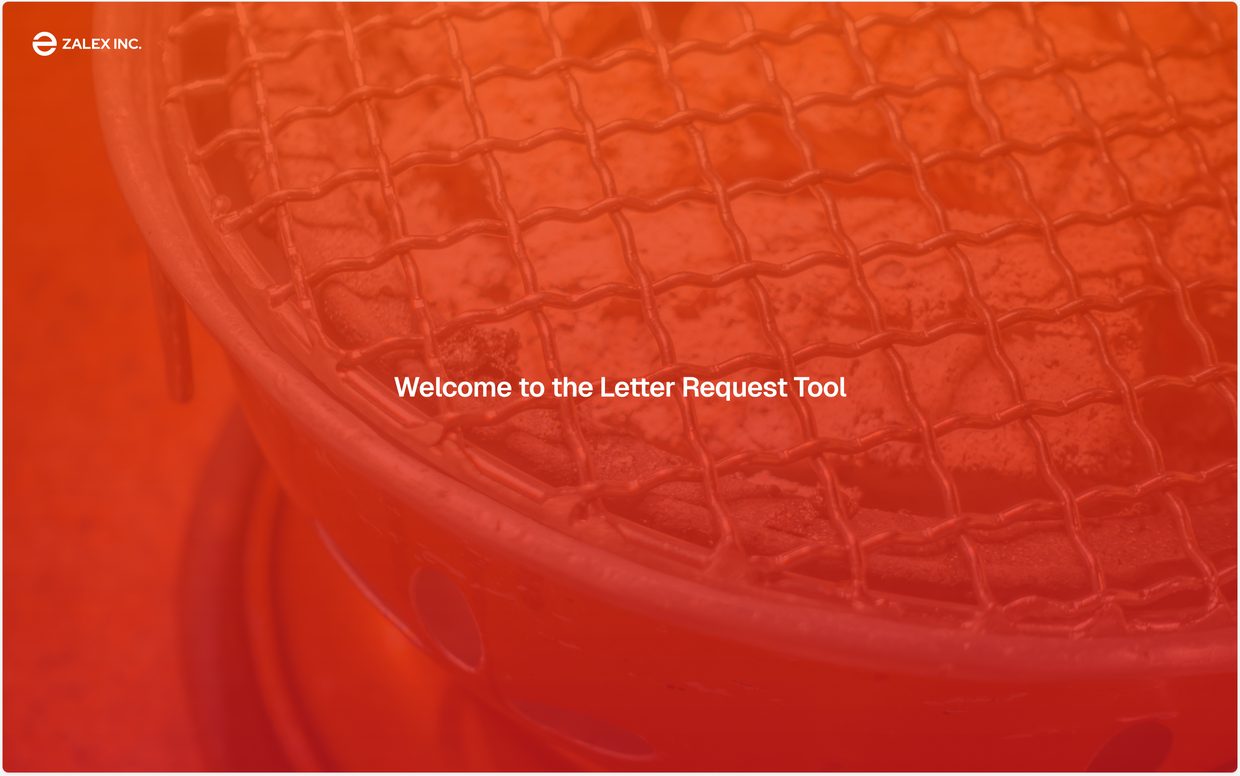
| Splash | Brand entry point before authentication | Zalex orange gradient with grill photography · Welcome headline · Single tap/click to continue to login · ZALEX INC. branding |
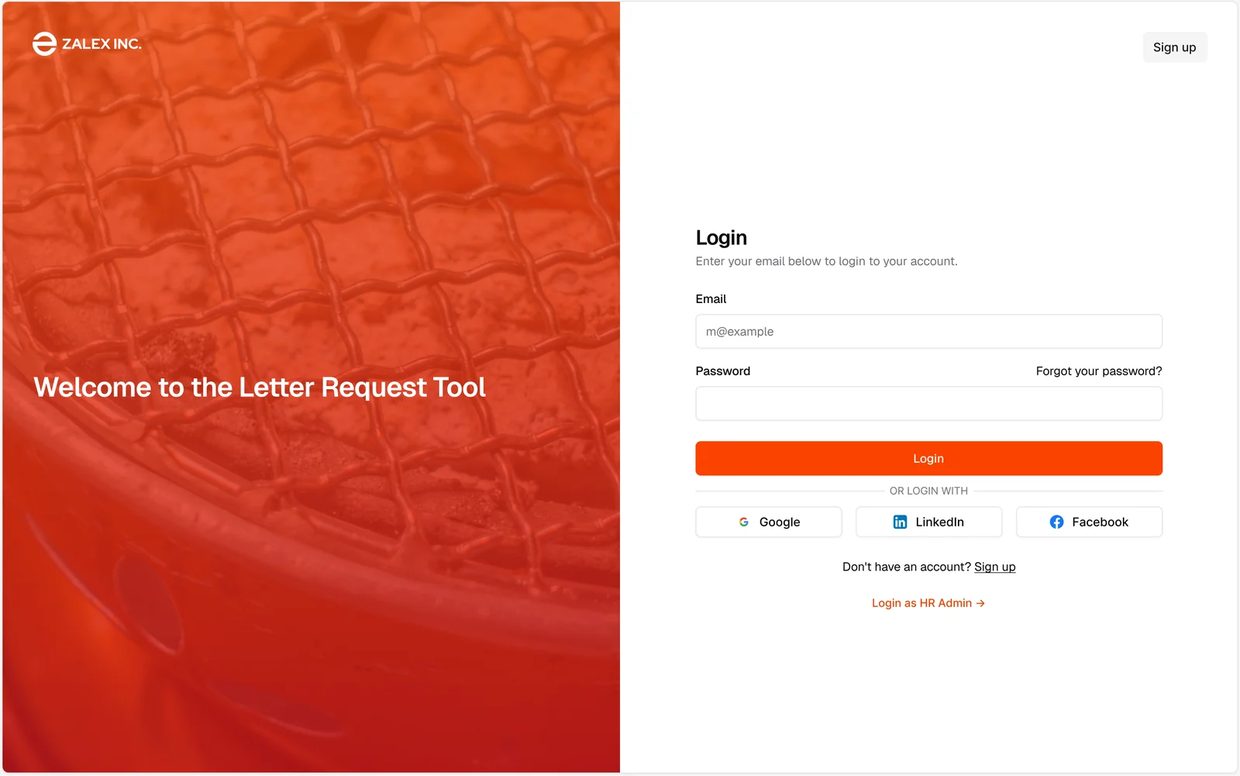
| Login | Employee and HR sign-in | Split layout — brand panel + shadcn form · Email/password · SSO options (Google, LinkedIn, Facebook) · Link to sign up |
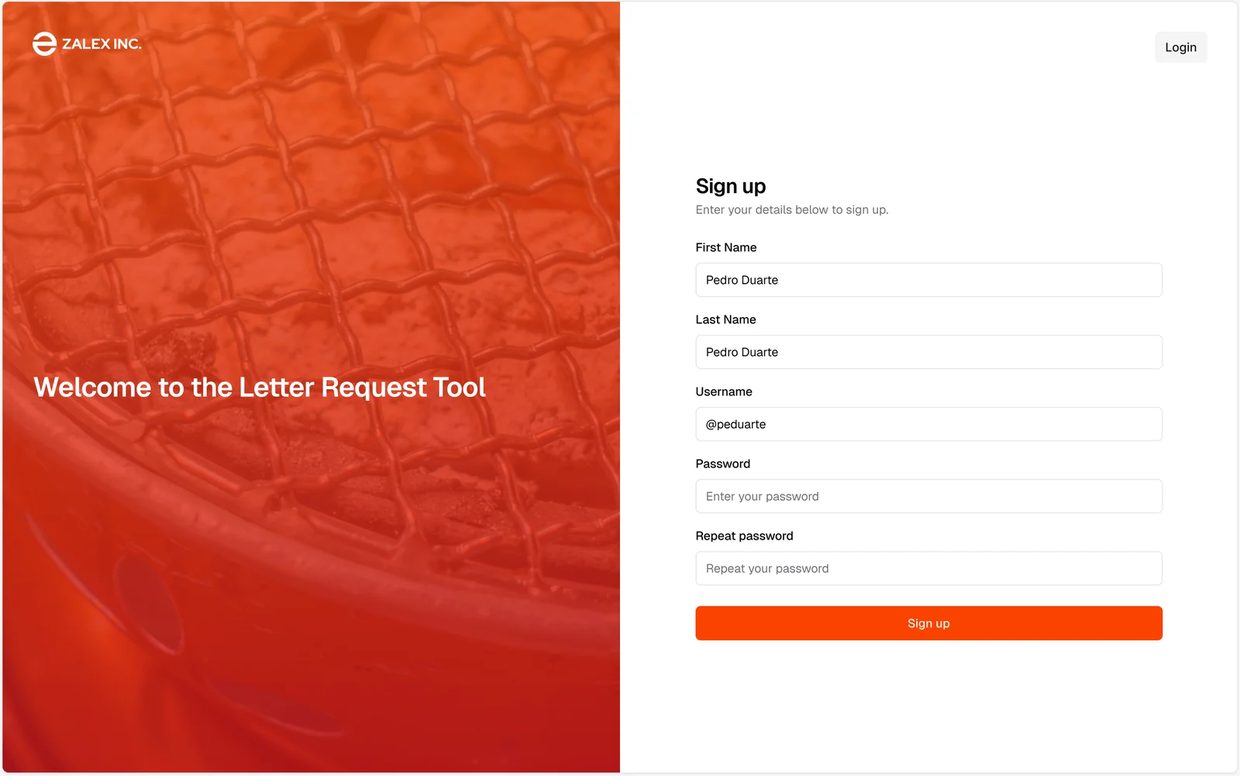
| Sign up | New employee account registration | Name, email, password fields · Orange primary CTA · Link back to login · Matches authentication block from shadcn reskin |
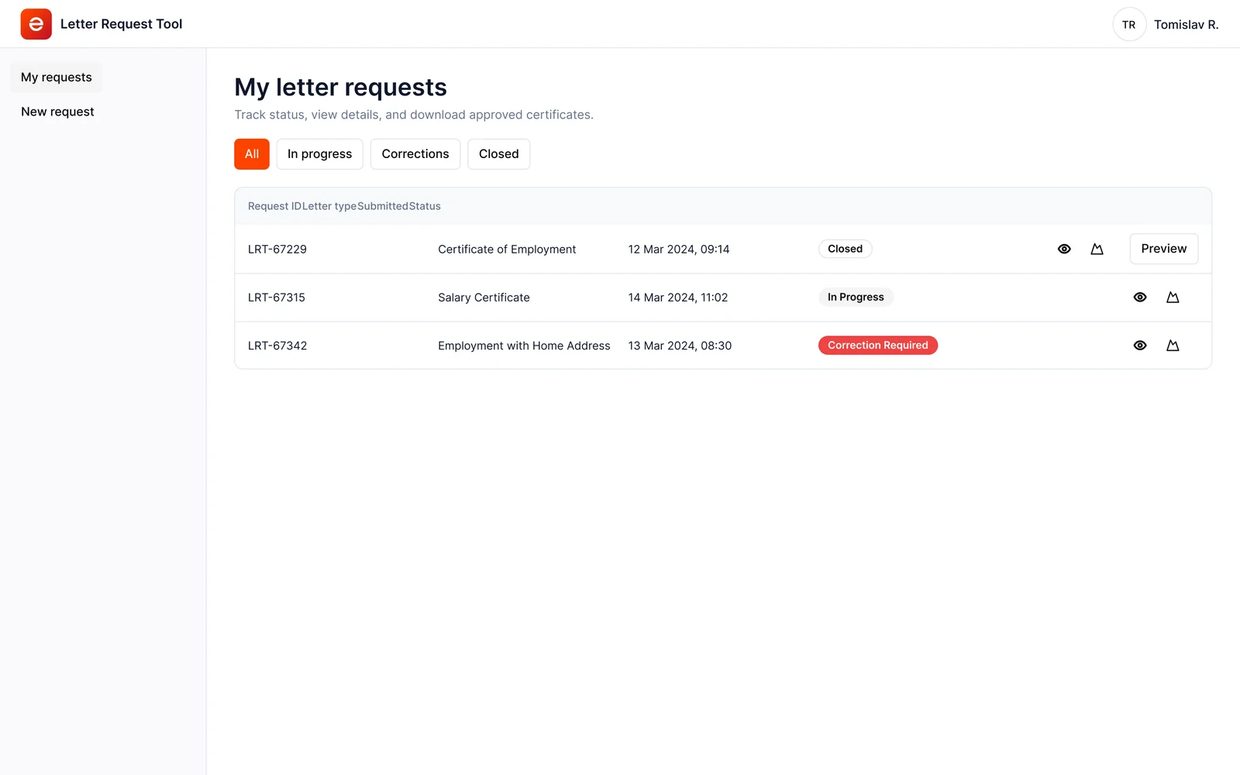
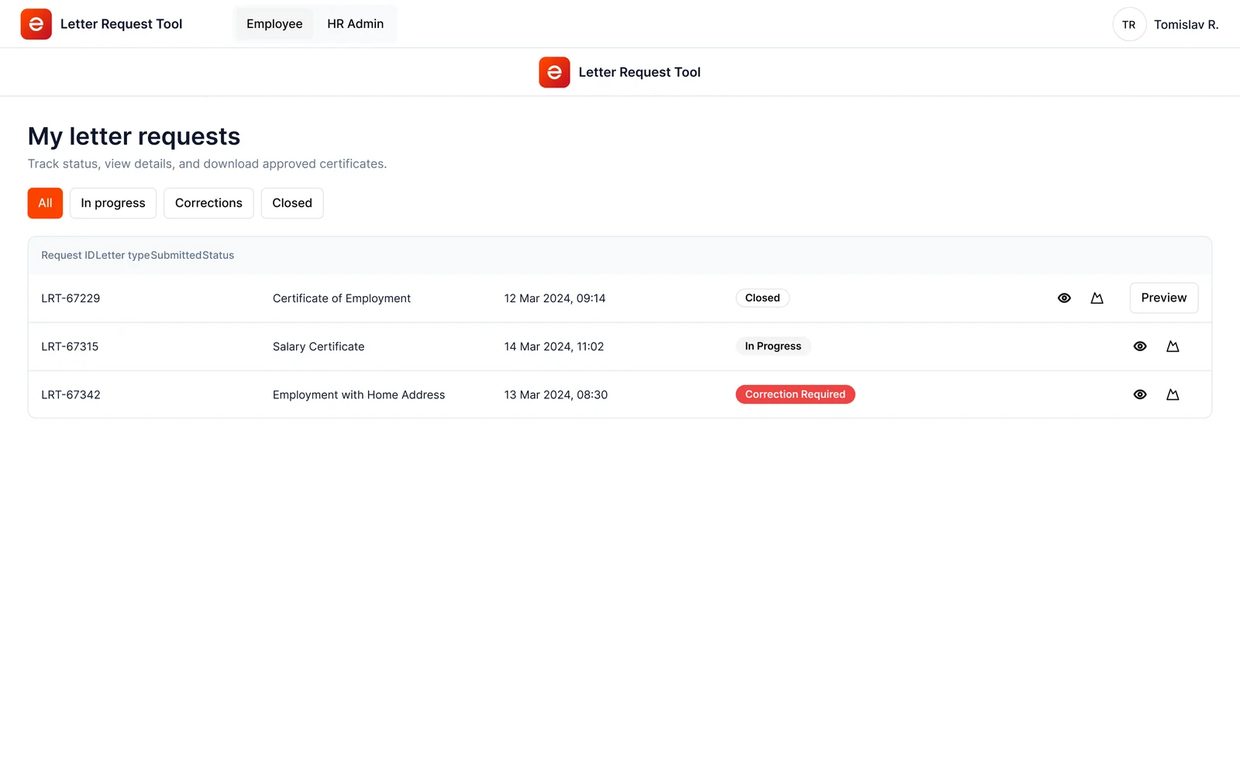
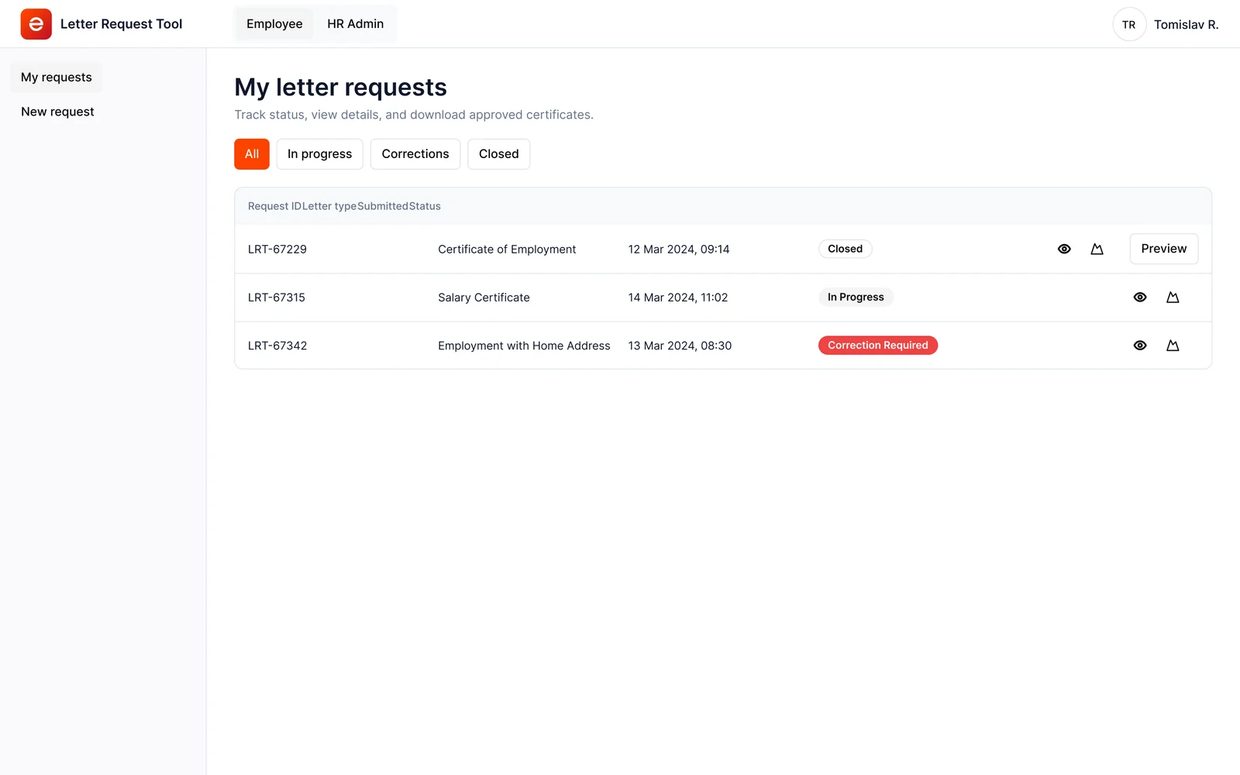
| Employee Dashboard | Landing page after login — overview of all requests | Active requests with status badges (New / In Progress / Closed) · Request history · “New Request” primary CTA · Status timestamps visible without clicking into detail |
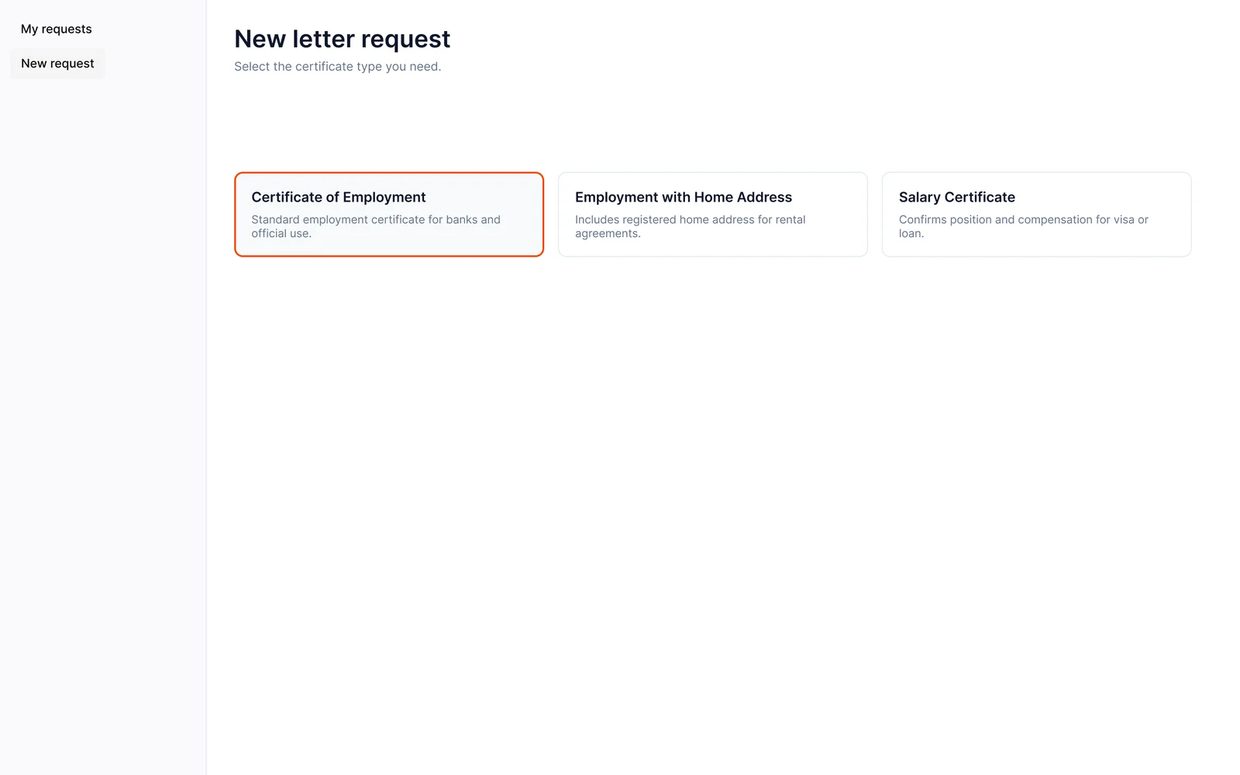
| Employee New Request | Certificate type selection | Employment Certificate · Employment with Home Address · Salary Letter · Clear descriptions of what each document contains and typical use cases |
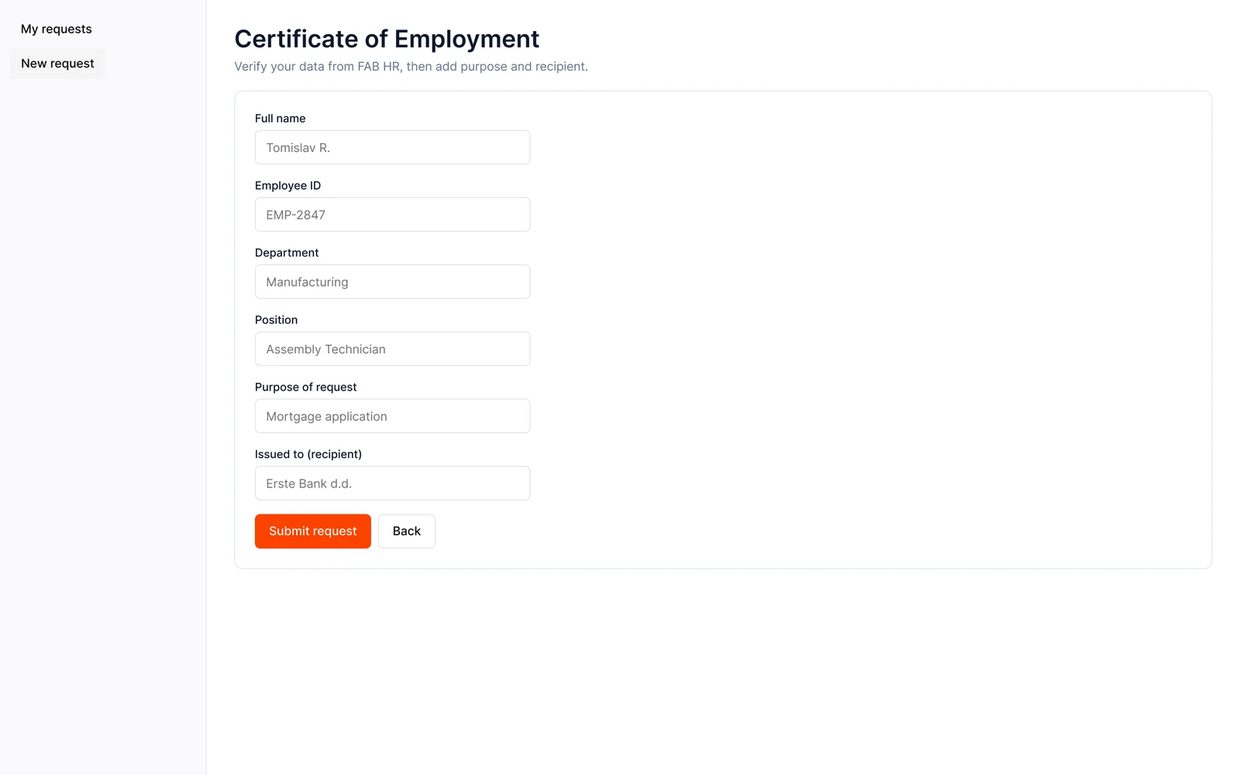
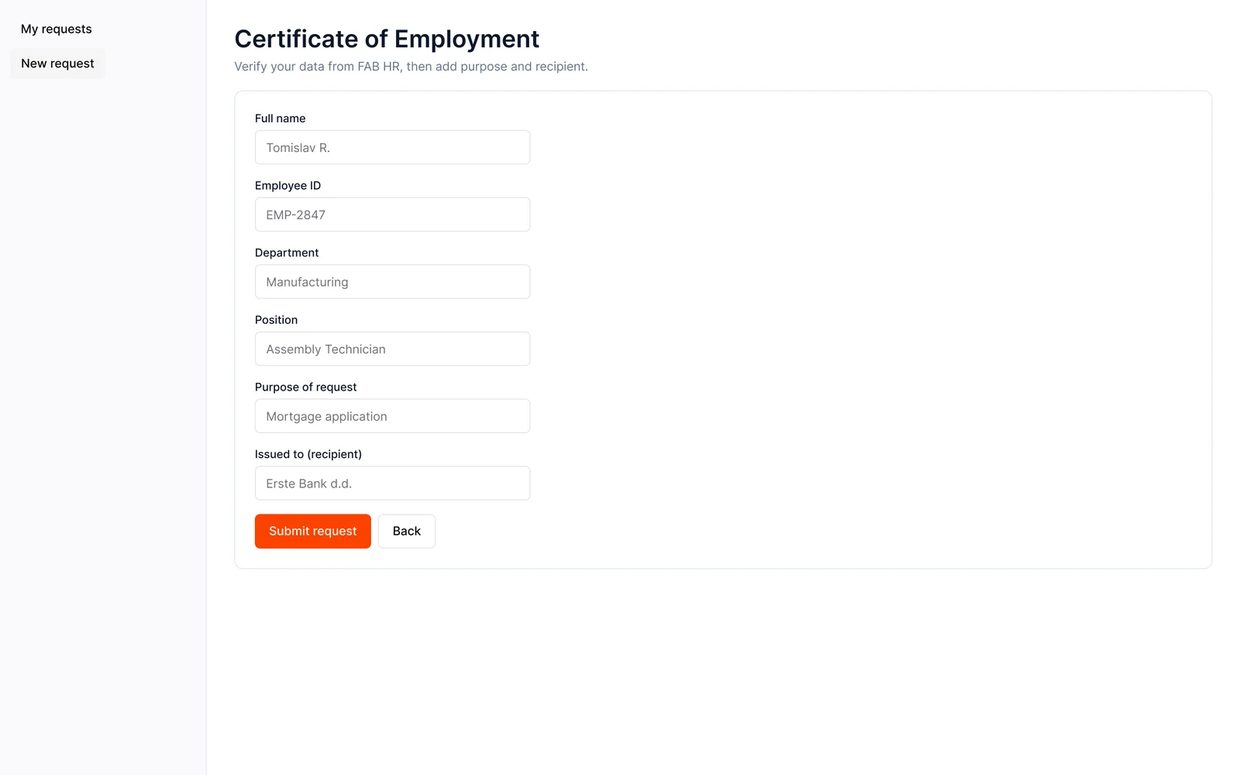
| Employee Request Form | Data verification (not data entry) | All fields pre-filled from FAB HR — employee name, ID, position, department, salary · Editable “purpose” and “recipient” fields only · Review step before submission |
| Employee Status View | Real-time request tracking | Three-state progress indicator (New → In Progress → Closed) · Timestamp for each state change · Estimated completion · HR contact if needed |
| FR 06 — Request Detail Panel | Eye-icon detail view without leaving the dashboard | Slide-over panel with status stepper · Employee data summary · Purpose & recipient · Correction notice when flagged · Download CTA when closed — designed to replace the missing FR 06 screen from the requirements doc |
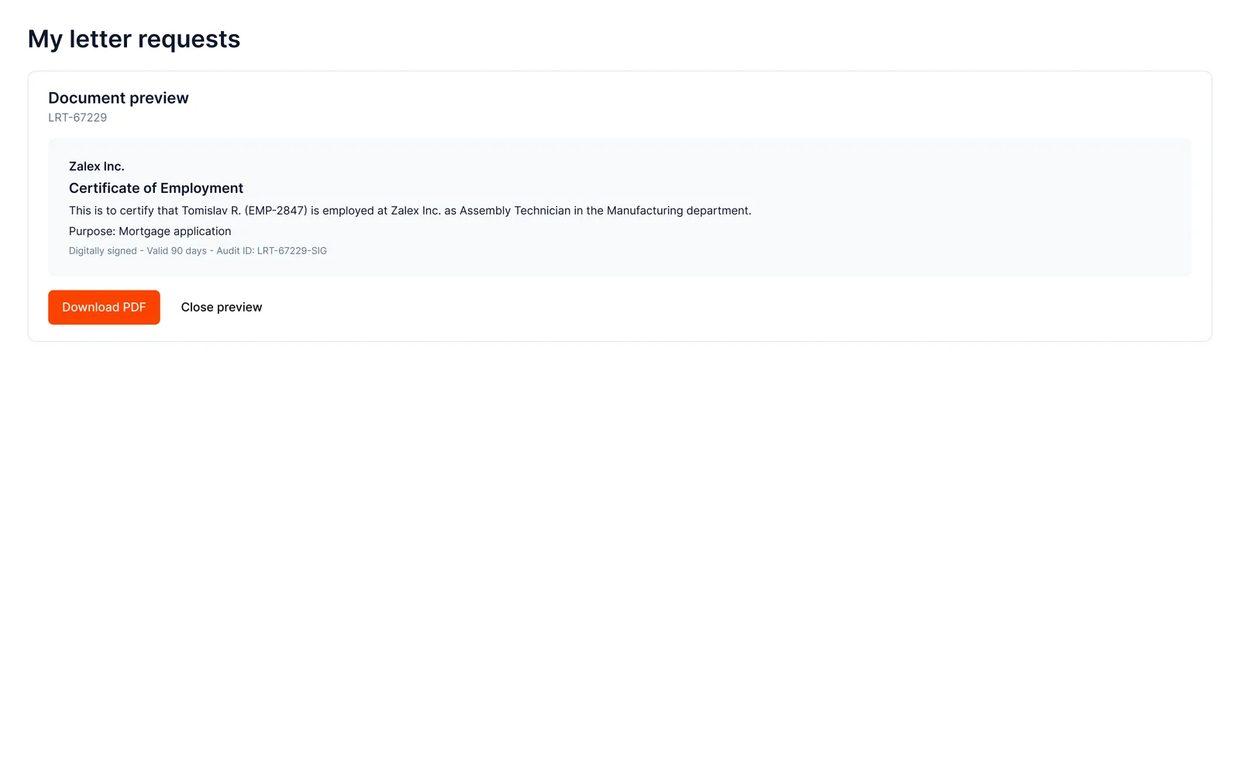
| Employee Document Preview | Final document review and download | PDF preview in-browser · Download button · Digital signature visible · Validity period displayed · Option to request correction if data is wrong |
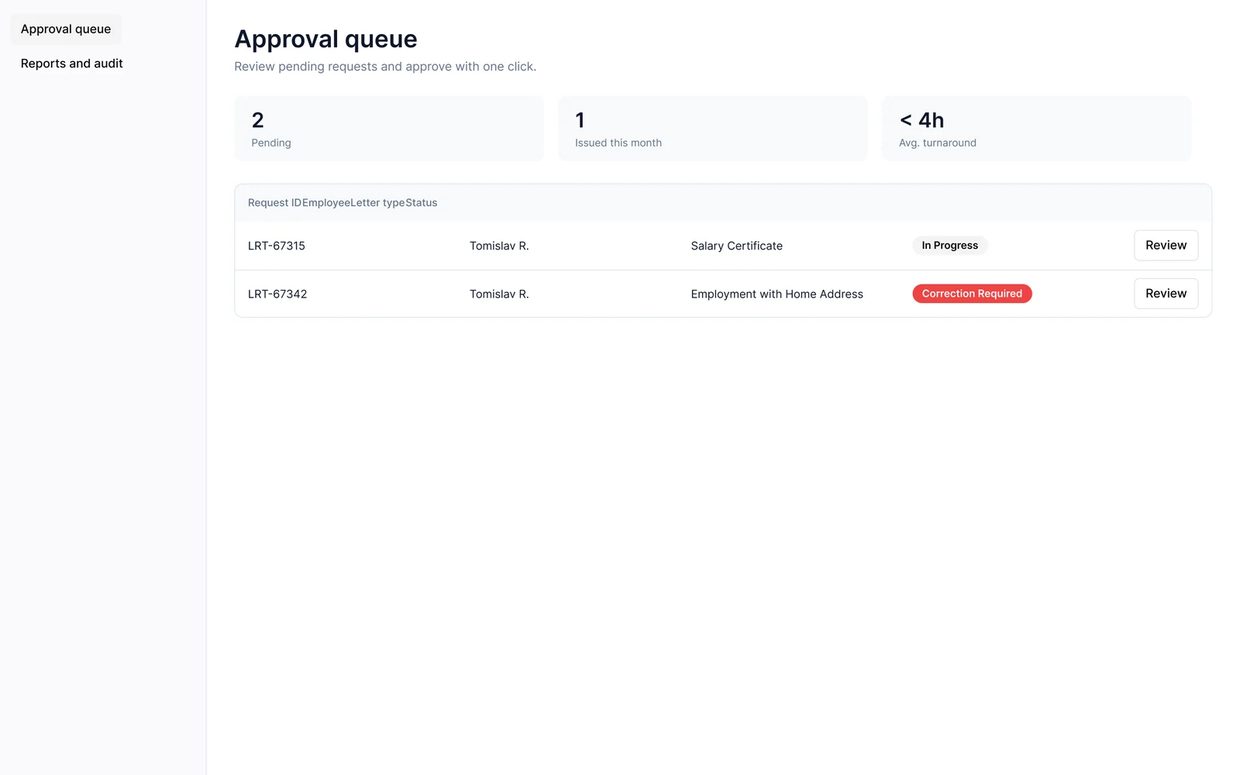
| HR Dashboard | Queue management for all incoming requests | Filterable request queue by status · Sort by date/priority · Bulk actions · Request count badges · Colour-coded status indicators |
| HR Request Detail | Individual request review and action | Employee data summary · Document type · Pre-generated draft preview · Approve / Reject / Request correction actions · Notes field |
| HR Document Review | Final document approval before signature | Full document preview · Data accuracy checklist · One-click approve triggers digital signature · Rejection sends back to employee with note |
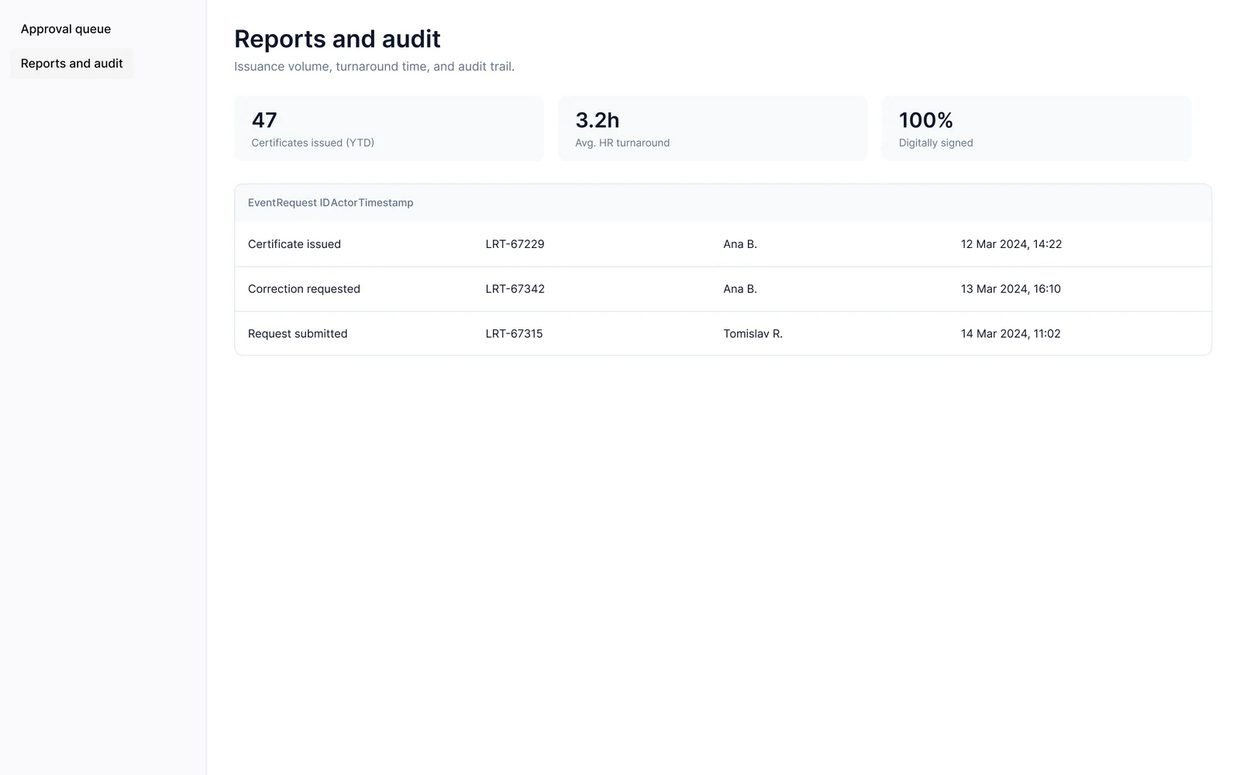
| HR Reports | Audit trail and analytics | Documents issued by period · Average processing time · Requester/approver/timestamp/signature hash for every document · Export to CSV |
Step-by-step journeys
Structure before polish
Five layouts carry the two roles this tool serves. These are their structural pass — the dashboard's status-filtered table, the three-card letter-type picker, the request form, the HR queue's stat tiles over a table, and the request-detail sheet with its status tracker — settled before the shadcn-style visual layer went on top.
Dashboard, new request, the request form, the HR queue, and the detail sheet — every other screen in the tool is a variation on one of these five.
Designed for what goes wrong
An internal HR tool earns trust the same way a banking app does: in the moments a request doesn't move in a straight line, and in being honest about what it can't actually do.
Every choice justified
| Decision Made | Why — Rationale | Alternative Rejected |
|---|---|---|
| Three-state status model (New / In Progress / Closed) | Three states are enough to tell you where you stand. Anyone who has tracked a parcel delivery already knows how to read them. | Five-state model (Submitted / Assigned / Drafting / Review / Complete) — rejected; over-segments a process employees don't need granular visibility into |
| Pre-fill from FAB HR platform | Errors came from people retyping data by hand. Pulling it from the HR system instead makes the form something you check rather than something you fill in. | Employee self-entry with HR validation — rejected; duplicates data already in the system and re-introduces the error source |
| Digital signature + validity period | Banks and visa offices want a signed, dated document that says how long it stays valid. Leave that off and the certificate gets handed straight back. | Manual signature scan — rejected; not tamper-proof, no metadata, no audit trail |
| Employee self-service | A standard certificate needs no judgement, so there is no reason for a coordinator to sit in the middle of it. Automating those leaves HR the exceptions, which are the ones that need a person. | HR-only portal with email notification — rejected; maintains the bottleneck and keeps the employee in the dark about status |
Try the flows yourself
The React prototype below is live. Sign in from the splash screen and switch between the Employee and HR Admin roles. Put a request all the way through, open the FR 06 detail panel, then try the correction loop. The Figma prototype underneath covers the same journeys with Smart Animate transitions.
The clickable prototype runs in Figma — click it to interact.
Every screen in sequence
Screens exported from Figma at 2× resolution, laid out in flow order. Click a thumbnail for the full-size version.
Employee flow — Tomislav
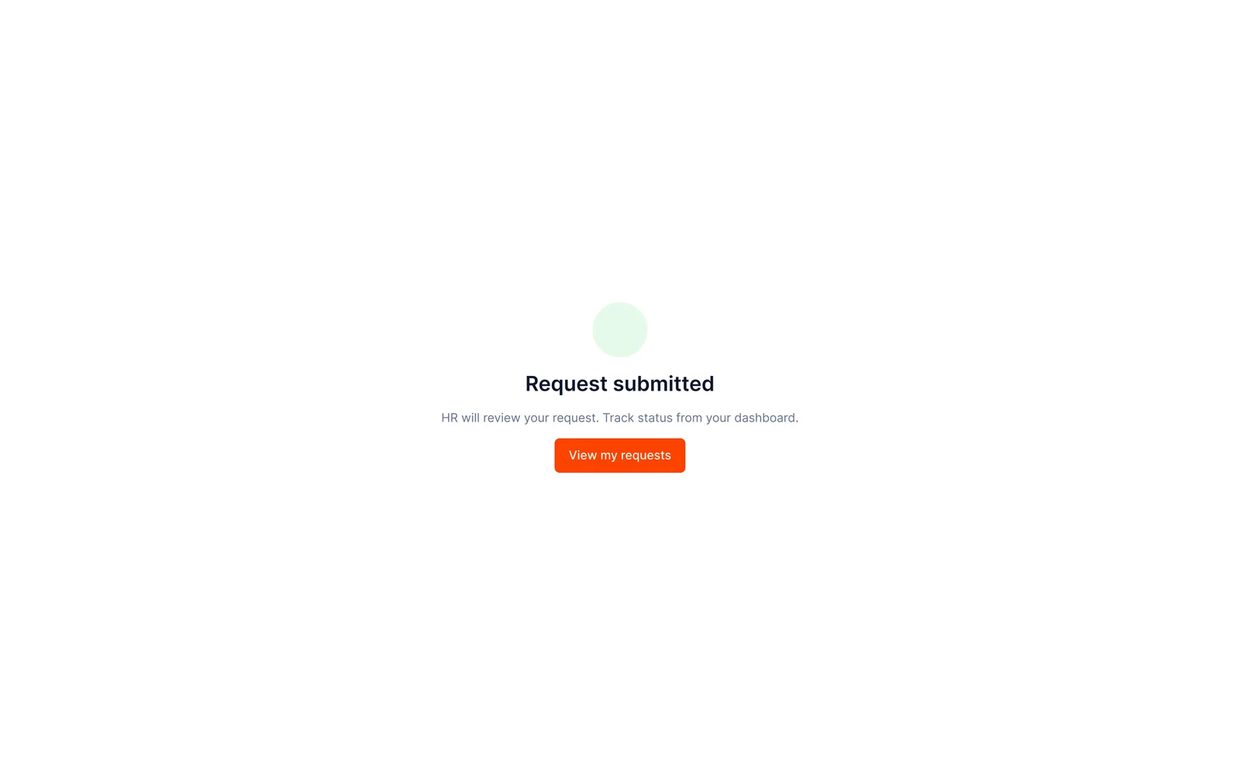
Splash and sign-in, then one certificate request followed all the way to the signed download. The last screens are the correction loop.

HR Admin flow — Ana
The approval queue, a request reviewed and approved in one click, then the audit reports. At the end, a correction note going back to the employee.


A shadcn-style foundation, kept literal
Fifty-nine Figma variables bind directly to this project's real CSS custom properties — colour, typography, spacing, radius — with no translation layer between the design file and what the browser actually renders. A dedicated Accessibility & Trust page and a Developer Handoff page sit alongside the screens, not bolted on afterward.
Foundations
Components
What the design set out to change
The design takes a five-day manual workflow down to a same-day automated one. Two things do most of that work: nobody retypes data that the HR system already holds, and every issued document carries its own audit trail.
A note on provenance: this was a design assessment, not client work. Zalex Inc. is a fictional company, and the requirements document and initial sketches were supplied to me. The five-day and same-day figures are the brief's premise, not measured results. Everything after that point is mine: the information architecture, the flows, every screen including the error and edge cases, the prototype and the handoff documentation.
What I learned
The decision that mattered here was structural rather than visual. HR sat in the middle of this process because nobody had built anything else, not because a coordinator was checking anything a human needed to check. Once I saw that FAB HR already held every field the certificate needed, the job stopped being “make the form better” and became “get rid of the form.” I look for that switch now. Most of the internal tools I've worked on are a bad process with a nicer surface painted over it.
This is the one to read if you want enterprise work taken from a written requirements brief through to handoff. Role-based flows, a Figma prototype and a coded React one, and a five-day manual HR process replaced by self-service. Employees and HR admins sign in through separate, secure paths and see different screens.
This is the one to read if you want enterprise work taken from a written requirements brief through to handoff. Role-based flows, a Figma prototype and a coded React one, and a five-day manual HR process replaced by self-service. Employees and HR admins sign in through separate, secure paths and see different screens.